How To Make BLOG...
1. Sign in to GOOGLE.
2. And Enter the address “www.blogger.com”.
3. Click “CIPTAKAN BLOG ANDA SENDIRI”.
4. Fill in the blank box with your data.
5. If you done enter your data, Click “LANJUTKAN”.
6. If success, the monitor will be shown like the picture below.
7. And than name the blog by filling the blank box with your data.
8. If you done enter your data, Click “LANJUTKAN”.
9. And than choosy the template you want. And than Click “LANJUTKAN”.
10.The Blog have already use.
Archives
HOW TO MAKE E-mail Using Yahoo?
1. Sign in to GOOGLE.
2. Enter the address “www.yahoo.com”.
3. Click “SIGN UP”.
4. Fill in the blank box with your data.
5. If you done enter your data, click “Create My Account”.
6. If success, the monitor will be shown like the picture below.
7. And than click “Continue”.
8. The E-Mail have already to use.
How To Make E-mail Using G-MAIL?
1. Sign in to GOOGLE.
2. Enter the address “www.gmail.com”.
3. Click “Create an account”.
4. Fill in the blank box with your data.
5. If you done enter your data, click “ I accept Create my account”.
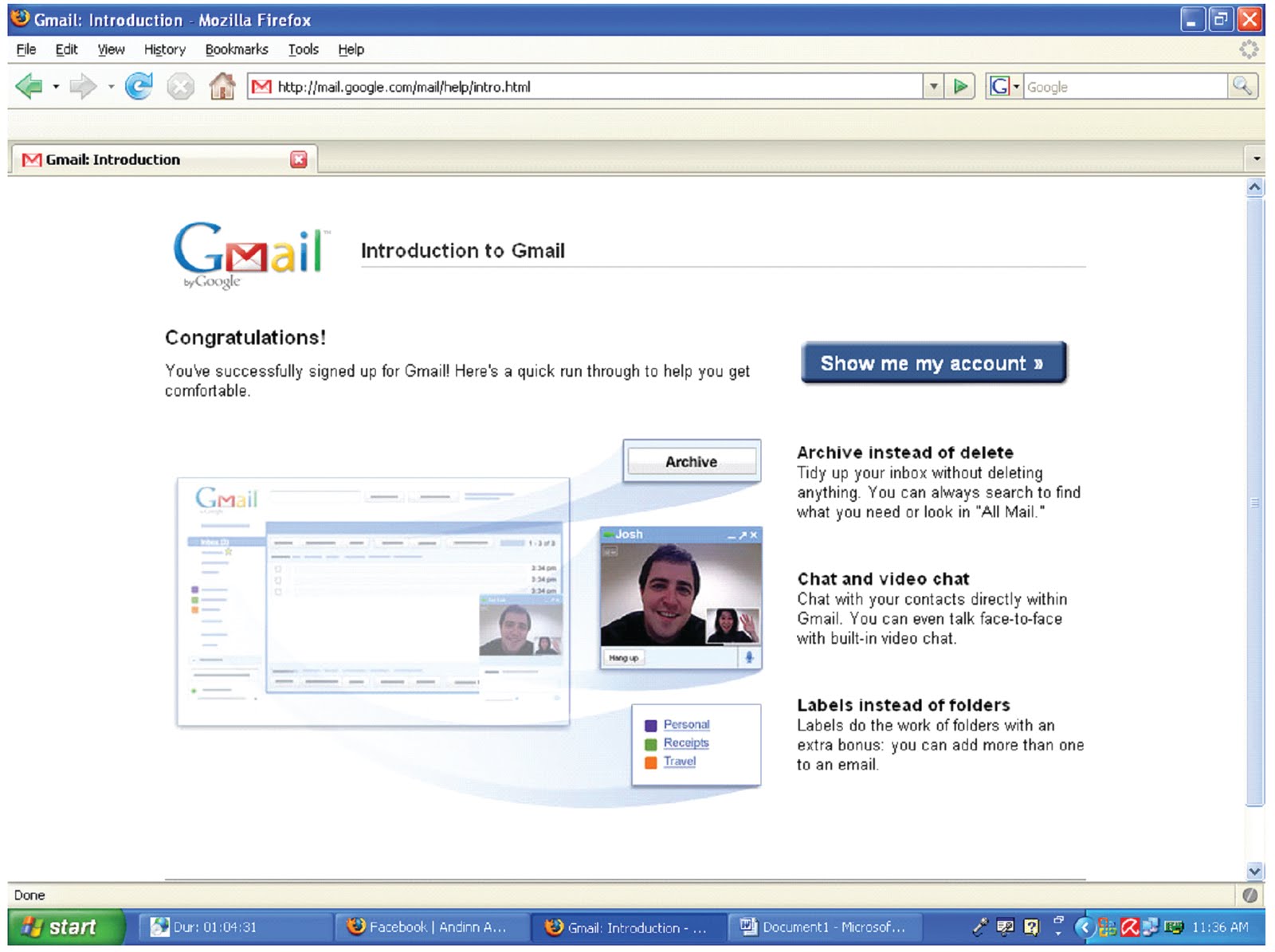
6. If success, the monitor will be shown like the picture below.
7. And than click “Show me my account”.
8. The last click “Sweet! Check out Buzz”.
9. The E-Mail have already to use.
>,<...How To Make Facebook?
1. Sign in to GOOGLE.
2. Enter the address www.facebook.com.
3. Fill in the blank box with your data.
4. And than click “Mendaftar”.
5. The monitor will be shown like the picture below. And than write the code which shown in the box, if you done enter your code, click “Mendaftar”.
6. If success, the monitor will be shown like the picture below. And than click “Kunjungi Yahoo! Mail sekarang”.
7. Confirm e-mail from www.facebook.com which ask you to confirm your account.
8. If you done confirm your e-mail it’s mean that your facebook have been activated.
9. Your Facebook already to use.
...HOW TO MAKE TwiTteR...

• Login to http://twitter.com.
• Click on to Sign Up Now.
• Write your fullname in box for Fullname.
• Write your unik username which you like.
• Write your Password.
• Write your e-mail address.
• Write verification word which shown.
• Klik Create My Account
Now you have a Twitter…!!!